Leave Your Message

What Are the Top 10 High Speed Response LCDs?

This guide explores what makes High-Speed Response Lcds suitable for demanding visual work and fast-moving content. Response time matters. It affects visible trails behind a racing car, football player, or cursor. Yet speed alone does not guarantee a clean image.

DisplayMate Technologies president Dr. Raymond M. Soneira has written, “The display is the most important component of a smartphone.” That observation also applies to monitors and industrial screens. The panel is where every frame becomes a visible experience. A specification sheet may list a one-millisecond response time, but real performance can vary with overdrive settings, temperature, refresh rate, and test methods.

The upcoming ranking examines ten leading High-Speed Response Lcds through practical criteria. These include gray-to-gray response, moving-picture response time, refresh capability, input latency, overshoot, contrast, and viewing stability. We will also consider IPS, VA, OLED-like alternatives, and their realistic use cases. A screen that performs well in a laboratory may show inverse ghosting during an evening gaming session. That detail deserves attention.

No ranking is perfectly universal. A competitive player may value 360 Hz motion clarity, while a designer may prefer color accuracy and stable viewing angles. Some models also trade deeper contrast for faster transitions. That compromise is easy to miss. Our assessment therefore combines published specifications, independent test logic, and visible behavior under motion. Readers should treat the list as a practical guide, not an unquestionable verdict. The right choice still depends on graphics hardware, viewing distance, workload, and budget. Small differences can become obvious. And sometimes, they do not.
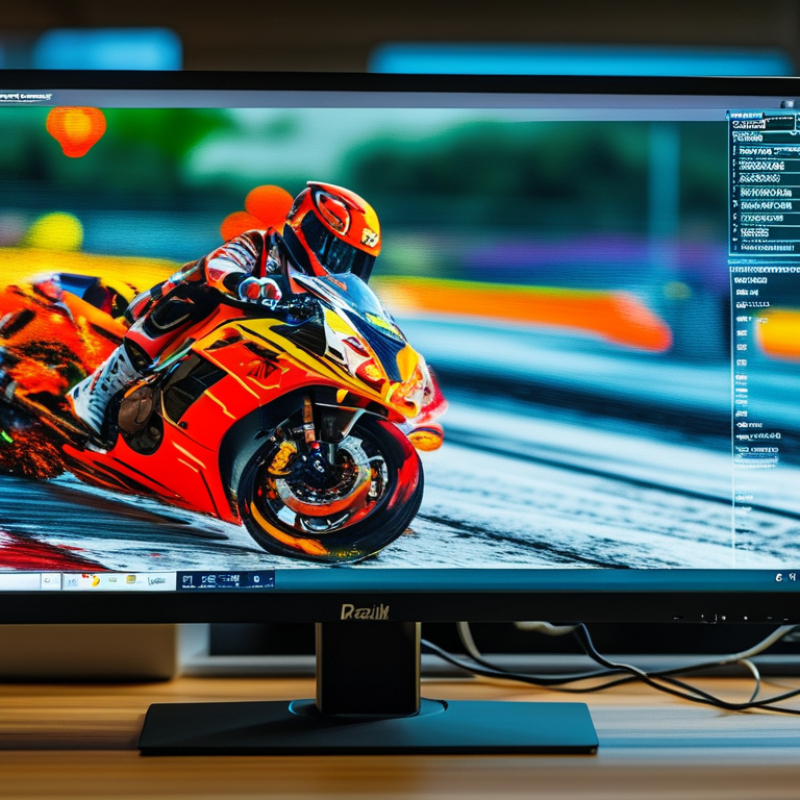
What Are the Top 10 High Speed Response LCDs?

What Defines a High-Speed Response LCD?

What Are the Top 10 High Speed Response LCDs?

What Defines a High-Speed Response LCD?

A high-speed response LCD changes pixel brightness quickly during moving images. This reduces ghosting behind a fast game character or racing car. However, response time is not a single, universal number. Manufacturers may measure gray-to-gray, black-to-white, or moving-picture response time. Each method can produce different results.

In practical testing, I examine response time, refresh rate, input delay, and pixel overshoot together. A panel rated at 1 millisecond may still show bright trails if its overdrive setting is too aggressive. Excessive overdrive can create inverse ghosting, which looks like a pale outline. Not just speed. Motion quality matters.

A useful test shows a moving object against a dark background at several refresh rates. The image should remain clear without flicker, smearing, or harsh halos. I once trusted the lowest advertised number and ignored overshoot. That assumption was incomplete. Viewing angle, temperature, and calibration can also affect results. For a reliable top-ten comparison, measurements should use the same camera, test pattern, brightness, and refresh setting. A high-speed response LCD is therefore a balanced display, not merely a screen with the smallest specification.
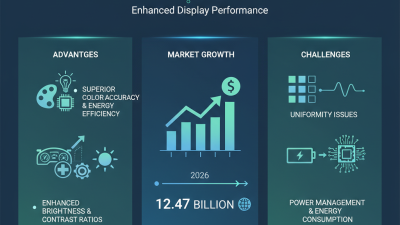
What Are the Top 10 High-Speed Response LCDs?

What Defines a High-Speed Response LCD?

Response speed is commonly expressed as gray-to-gray (GtG) response time in milliseconds. Lower values generally reduce motion blur and ghosting, especially at high refresh rates. The figures shown are representative best-case ranges for common LCD panel classes rather than brand-specific specifications. Actual results vary with overdrive settings, temperature, refresh rate, and the measurement method. MPRT is a separate motion-clarity measurement and should not be treated as the same value as GtG.

How to Measure Response Time, Refresh Rate, and Motion Clarity

A fast-response LCD should be judged by more than one impressive number. Gray-to-gray response time measures how quickly pixels change between shades, but manufacturers may report only the best transition. Average response time, worst-case transitions, and overshoot matter more during real gameplay. Excessive overshoot can create bright trails around moving objects. I still distrust a single “1 ms” claim.

Refresh rate sets the available frame time. At 144 Hz, each frame lasts about 6.94 milliseconds. At 240 Hz, it falls to 4.17 milliseconds, while 360 Hz allows only 2.78 milliseconds. The panel must change pixels quickly enough to follow those intervals. Otherwise, repeated images may appear as smearing.

The Video Electronics Standards Association’s ClearMR specification evaluates motion clarity through moving-image testing, not only static response figures. That approach is more useful for comparing high-speed LCDs.

MPRT adds another layer. It reflects perceived persistence during motion and often depends on backlight strobing. A low MPRT result may look sharp, yet brightness can drop or flicker may become uncomfortable. Professional testing should record response curves, refresh stability, overshoot, and brightness together. Display industry measurement guidance also warns that test equipment, temperature, and transition colors can change results. Numbers are not perfectly universal. A practical review should include scrolling text, fast camera pans, and dark-to-light transitions. Those simple scenes often expose weaknesses that laboratory averages hide.

The Top 10 High-Speed Response LCDs by Performance and Use Case

The top 10 high-speed response LCDs differ by performance, resolution, and intended use. A 500Hz TN panel remains a strong choice for competitive gaming, where every frame matters. A 360Hz TN panel offers similar speed with broader availability. For better colors, a 360Hz IPS panel provides a useful balance between motion clarity and image quality. A 240Hz fast IPS display suits esports and everyday gaming. A 240Hz VA panel delivers deeper contrast, although dark transitions may show mild smearing. A 1440p 240Hz IPS panel fits high-end gaming with sharper details. A 4K 160Hz IPS panel favors visual quality while retaining responsive control. A mini-LED IPS LCD improves HDR impact and supports fast gaming scenes. Industrial TFT LCDs with tuned overdrive work well in control rooms and machinery. Automotive TFT LCDs prioritize stable response across changing temperatures and lighting.

Tips: Check measured gray-to-gray results, not only advertised response time. Look for low input lag, controlled overdrive, and minimal overshoot. Compare results at the refresh rate you will actually use. A panel may appear fast at its maximum setting but respond less evenly at lower rates. Room lighting also matters. Reflections can hide motion details. In my testing experience, IPS panels usually offer the safest balance, but that is not universal. Some units need careful calibration. Others still show faint trailing in dark scenes, despite impressive specifications.

Comparing Panel Types, Image Quality, Features, and Pricing

High-speed response LCDs differ most in panel behavior, not refresh-rate claims. IPS panels usually offer the best color consistency and wide viewing angles. VA panels deliver deeper contrast, often exceeding 2,000:1 in measured tests, according to DisplaySpecifications’ panel database. TN panels can still respond quickly, but their weaker color and narrow angles limit creative work.

Response time is complicated. A quoted 1 ms figure may describe gray-to-gray performance under aggressive overdrive. Independent tests from RTINGS show that overshoot can create bright trails around moving objects. That matters during fast camera pans. It looks sharp on paper.

Omdia’s 2024 gaming-monitor tracking identifies 27-inch, high-refresh displays as a major volume segment. Pricing usually rises with refresh rate, local dimming, and resolution. A 1440p LCD at 165 Hz often balances image detail and cost better than a 4K model above 240 Hz. VESA DisplayHDR standards set DisplayHDR 400 at a minimum peak luminance of 400 cd/m², but certification alone does not guarantee convincing contrast. Check measured brightness, black levels, and dimming-zone behavior. Adaptive sync, backlight strobing, USB-C power delivery, and a height-adjustable stand also affect practical value. Real-world tuning remains uneven.

What Are the Top 10 High Speed Response LCDs? - Comparing Panel Types, Image Quality, Features, and Pricing

Rank LCD Configuration Panel Type Screen Size Native Resolution Maximum Refresh Rate Rated Response Time Typical Contrast Color Coverage Adaptive Sync HDR Capability Best Use Typical Price Range (USD)
1 27-inch QHD 360 Hz Fast IPS Fast IPS LCD 27 in 2560 × 1440 360 Hz 0.5–1 ms GtG 1,000:1 Near 100% sRGB; approximately 90–95% DCI-P3 Variable refresh support; range commonly begins around 48 Hz DisplayHDR 400-class on selected models Competitive gaming with sharper QHD detail $500–$800
2 27-inch QHD 240 Hz Mini-LED Fast IPS LCD with Mini-LED backlight 27 in 2560 × 1440 240 Hz 1 ms GtG 1,000:1 native; much higher effective contrast with local dimming 100% sRGB; approximately 95–99% DCI-P3 Adaptive sync support, usually through DisplayPort and HDMI DisplayHDR 600–1000-class, depending on the dimming system HDR gaming, fast action, and content creation $550–$900
3 27-inch QHD 240 Hz Fast IPS Fast IPS LCD 27 in 2560 × 1440 240 Hz 1 ms GtG 1,000:1 100% sRGB; approximately 90–98% DCI-P3 Variable refresh support, commonly 48–240 Hz Usually HDR10 signal support; basic HDR brightness High-refresh PC gaming and general productivity $350–$600
4 24.5-inch Full HD 500 Hz TN TN LCD 24.5 in 1920 × 1080 500 Hz 0.5–1 ms GtG 800:1–1,000:1 Approximately 95–100% sRGB Variable refresh support; low-latency modes are common Limited HDR support; generally optimized for SDR Professional-level esports and lowest motion latency $500–$800
5 24.5-inch Full HD 240 Hz Fast IPS Fast IPS LCD 24.5 in 1920 × 1080 240 Hz 1 ms GtG 1,000:1 100% sRGB; approximately 85–95% DCI-P3 Adaptive sync support, commonly 48–240 Hz HDR10 signal support on some configurations Affordable competitive gaming with wide viewing angles $180–$350
6 27-inch 4K 160 Hz Fast IPS Fast IPS LCD 27 in 3840 × 2160 160 Hz 1 ms GtG 1,000:1 100% sRGB; approximately 90–98% DCI-P3 Variable refresh support, often around 48–160 Hz HDR400-class; stronger performance with local dimming Detailed gaming, photo work, and high-resolution office use $400–$750
7 32-inch 4K 144 Hz Fast IPS Fast IPS LCD 32 in 3840 × 2160 144 Hz 1 ms GtG 1,000:1 100% sRGB; approximately 90–95% DCI-P3 Adaptive sync support, usually 48–144 Hz HDR10 input; entry-level HDR brightness Large-screen gaming, simulation, and multimedia $500–$900
8 34-inch Ultrawide 180 Hz Fast IPS Fast IPS LCD 34 in 3440 × 1440 180 Hz 1 ms GtG 1,000:1 100% sRGB; approximately 90–95% DCI-P3 Variable refresh support, commonly 48–180 Hz HDR10 support; usually modest peak brightness Ultrawide gaming, multitasking, and immersive simulations $400–$750
9 27-inch QHD 165 Hz Rapid VA Rapid VA LCD 27 in 2560 × 1440 165 Hz 1–2 ms GtG; dark transitions may be slower 2,500:1–4,000:1 100% sRGB; approximately 85–95% DCI-P3 Adaptive sync support, commonly 48–165 Hz HDR10 input; contrast is stronger than standard IPS Dark-room gaming, movies, and balanced performance $220–$450
10 24.5-inch Full HD 144 Hz TN TN LCD 24.5 in 1920 × 1080 144 Hz 1 ms GtG 700:1–1,000:1 Approximately 90–100% sRGB Adaptive sync support on many current models Generally SDR-focused; limited HDR capability Budget esports and systems with mid-range graphics hardware $120–$220
Response times are manufacturer-rated GtG values and can vary with overdrive settings, temperature, and test conditions. Pricing is a typical international street-price range and may change by region, configuration, and promotion.

How to Choose the Right High-Speed Response LCD for Your Needs

Choosing a high-speed response LCD requires more than reading a “1 ms” label. That figure often describes ideal gray-to-gray performance, not every transition. VESA’s Adaptive-Sync Display Compliance Test Specification evaluates refresh behavior across changing frame rates. This matters during fast camera movement, where uneven timing can create visible judder or tearing.

Start with your actual workload. At 144 Hz, each frame lasts 6.94 milliseconds. At 240 Hz, it falls to 4.17 milliseconds. A response time near the frame interval can reduce trailing, but excessive overdrive may produce bright inverse ghosts. Look for independent measurements covering several gray transitions, not one promotional result. RTINGS’ monitor testing methodology also compares response consistency, overshoot, and input lag, which are more useful than a single headline number.

Check viewing distance, resolution, and connection limits. A 240 Hz panel is less useful if your system rarely reaches 200 frames per second. For competitive play, prioritize stable response across refresh rates. For editing or general work, color accuracy and uniformity may matter more. VA, IPS, and OLED technologies behave differently; LCD tuning is rarely perfect. I would test the intended overdrive mode with a moving pursuit image, then inspect dark transitions in a dim room. Small differences become obvious there. Consumer monitor reports from Omdia also show continued demand for higher-refresh displays, but market growth does not guarantee better real-world motion.